

When getting a device from where you work, it usually means that some sort of management profile is installed on it. That is mainly done to limit access to key features or apps. Among iOS users, the Mobile Device Management restrictions are common. Dealing with MDM without the proper credentials can feel impossible. Luckily, a simple way to regain full control without needing to jailbreak your phone does exist.
This guide will explore how an iPhone unlocker can help remove MDM profiles quickly and safely. We will go into full detail to ensure everything regarding these restrictions and bypassing them is clear. Keep reading to discover a robust solution that makes your phone free.
Part 1. Stuck with an MDM Lock on Your iPhone?
It can be a lot confusing and stressful when you find the phone not working as expected. After turning it on, you may suddenly see a message saying your device is being managed or supervised. That is usually a sign that your iOS device needs to go through the bypass MDM process to regain full usage. A lack of familiarity with this can be quite alarming.
Mobile Device Management is often used by companies and schools to control how a device is used. While it helps IT teams manage apps, settings, and updates remotely, it also means the person using the phone may not have full access. You might find that certain apps are missing or updates can’t be installed. Even simple actions like changing a wallpaper or using FaceTime could be blocked by the profile admin.
For users who don’t have the right admin credentials, this setup can cause major frustration. It creates a situation where the phone feels more like it belongs to someone else. Especially for secondhand buyers or employees who’ve left a company, the MDM lock becomes a daily struggle. It prevents normal use and leaves you feeling stuck. Luckily, there are ways to remove it in the form of an iPhone unlocker.
Stay connected with the future of technology through Techsslaash. Explore news, tutorials, and updates on AI, apps, and innovative gadgets.
Part 2. Why Removing MDM Profiles Is Often Tricky?
After realizing that an MDM lock is behind the restrictions, your next thought is likely how to get rid of it. However, that is where things can become even more frustrating. Trying to remove MDM from your iPhone isn’t as simple as deleting an app or resetting your phone. In fact, Apple’s security system is designed to keep these profiles firmly in place.
MDM is part of native security features that protect both personal and corporate data. Once a device is enrolled in MDM, it connects with a remote server that controls what the user can do. Getting rid of the profile manually typically requires the admin username and password from the organization that added it. Without these credentials, the iPhone remains locked under those rules, even if you perform a factory reset.
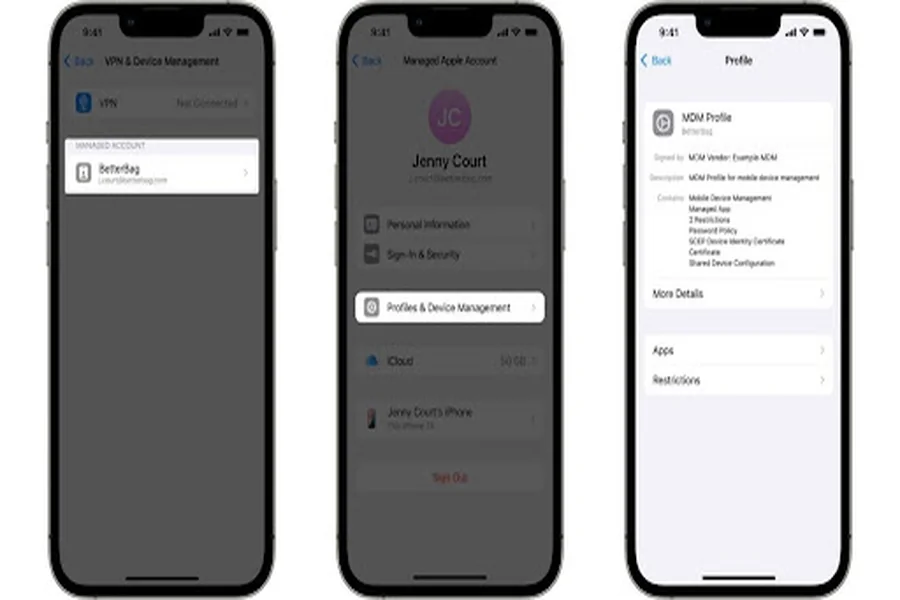
This level of security is intentional to prevent misuse or data leaks. Yet, for legitimate users trying to regain control over their iPhones, it turns the process into a technical and often confusing challenge. That’s why so many people search for alternatives. Getting around this dilemma requires the right approach and the right iPhone unlocker that does not jailbreak your mobile in the process.
Part 3. How Dr.Fone – Screen Unlock Can Remove MDM in Minutes
Once it’s clear that getting rid of the MDM profile manually isn’t an option, the next step is to look for a reliable solution. Luckily, you don’t have to be a tech expert or risk the mobile by jailbreaking it. A much simpler path is available using a professional iPhone unlocker like Dr.Fone – Screen Unlock (iOS). This tool is designed to make the process as smooth and quick as possible.
It works smoothly even for users who have never done anything like this before in their digital lives. With Dr.Fone, you can remove MDM restrictions from your iPhone or iPad in just a few steps. The software works by bypassing the targeted profile without needing the admin username or password. Best of all, it does the bypass MDM operation without touching your existing apps, photos, or personal data.
You don’t need to erase your phone or go through complex setup screens. Regardless of how you got stuck during the MDM remote management, this tool handles it all with a straightforward approach. In just minutes, you can regain full access and start using your device freely. Along with that, Dr.Fone is capable of deleting forgotten lock screens and removing the Apple ID screen without a passcode.
Part 4. Step-by-Step Guide: MDM Removal with Dr.Fone
Utilizing this advanced program to remove MDM from iPhone means that the solution to the problem is a lot easier. Its focus on device security and user ease makes the task of regaining control of your iOS device a simple task. Plus, being an offline tool means not having to worry about the risks of online choices. The following is a guide to getting rid of MDM restrictions using iPhone Unlocker:
Step 1. Access the Unlock MDM iPhone Button to Proceed
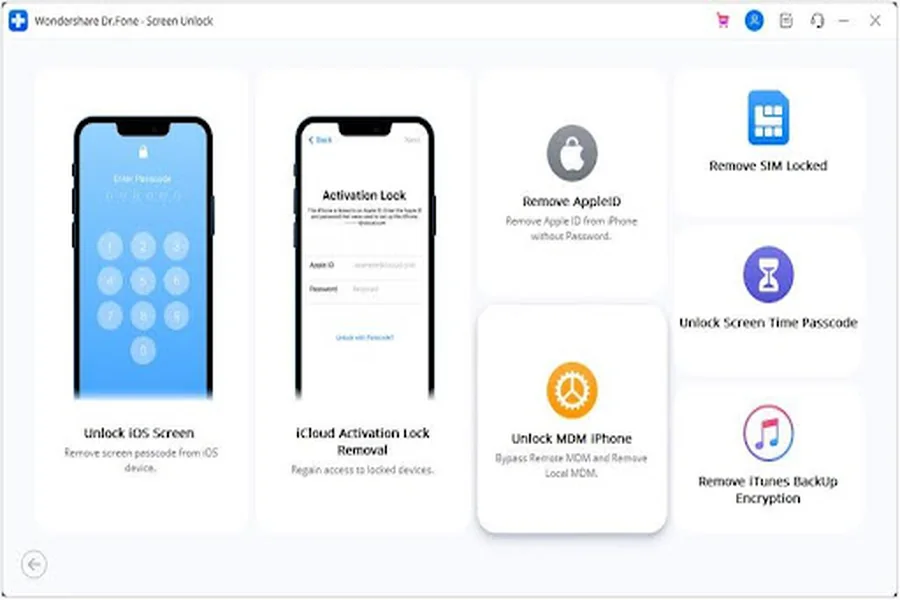
Move to run Dr.Fone on your system and access the “Screen Unlock” function from the “Toolbox” section. Then, declare “iOS” as the platform and hit the “Unlock MDM iPhone” button from the menu.
Step 2. Move to Disable the Find My Feature on Your iOS Device
On the subsequent screen, opt for “Remove MDM” and tap the “Get Start” button to proceed. Following that, click “Start to Bypass” and adhere to the provided instructions to disable the “Find My” function on the phone.
Step 3. Allow the Program to Unlock Your Mobile to Complete the Operation
When you have done that, press “OK” and wait for the program to remove the MDM restrictions from your mobile. Once the process is completed, hit the “Done” button to conclude the operation.
Conclusion
In summary, dealing with an MDM lock on your iPhone can feel limiting when you don’t have the right credentials to remove it. Luckily, with a trusted iPhone unlocker like Dr.Fone – Screen Unlock (iOS), removing the MDM profile becomes quick and stress-free. This solution helps you enjoy your iPhone freely again, so get Dr.Fone installed to free your iOS device from all sorts of restrictions.
